Enhesa's 2 layers of screening sheets are designed to help filter out large amounts of requirements and regulations based on general assumptions of the facility’s operations. To perform the "Screening" feature, please:
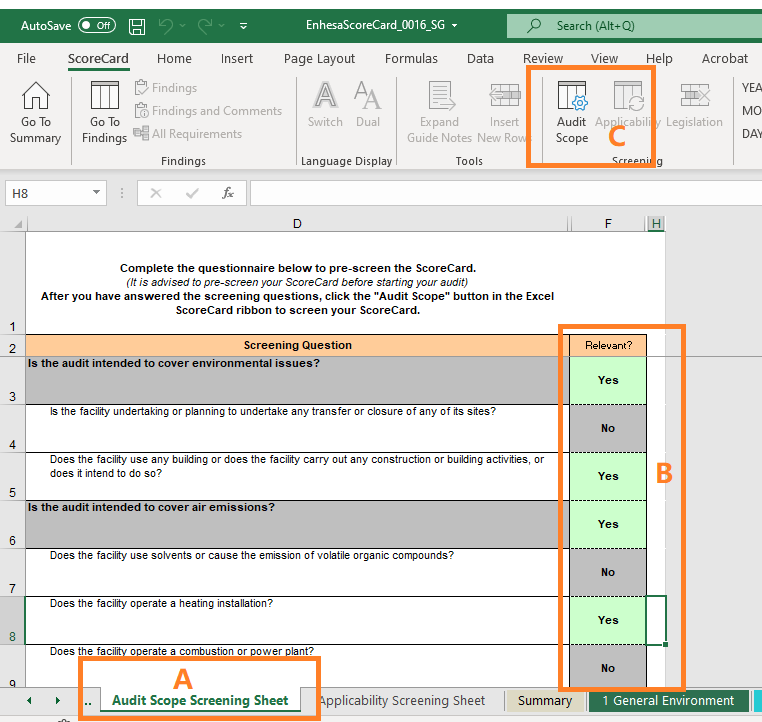
1. Click on the Audit Scope Screening Sheet (A in example below) and review the questions by thematic heading, answering 'Yes' and 'No' to as many as possible(B in example below). When finished click the “Audit Scope” function within the ScoreCard ribbon (C in example). The excel file will then notate which requirements are no longer applicable to you. Next,
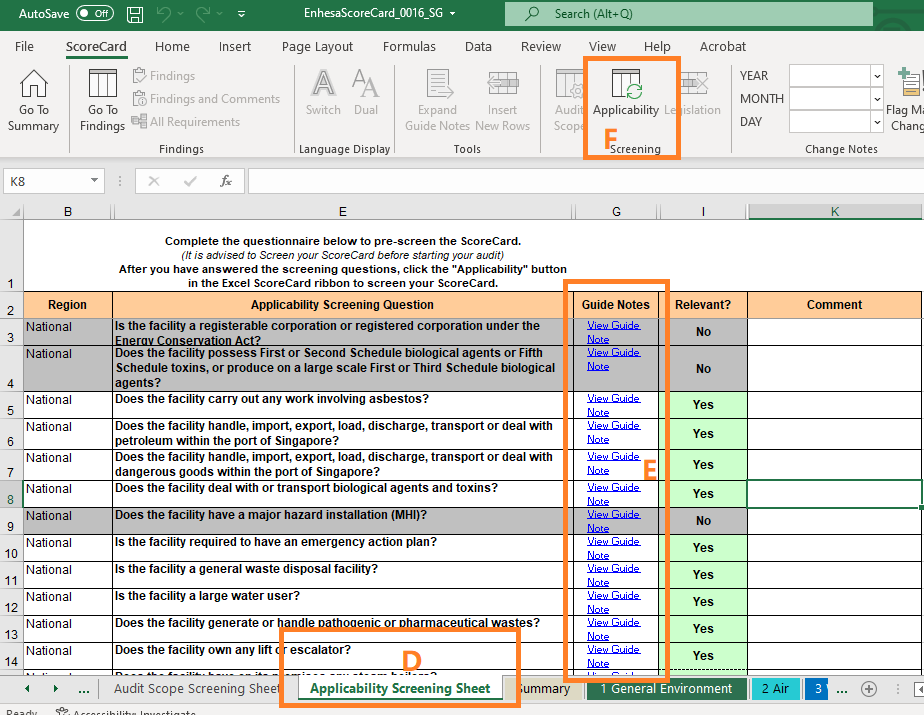
2. Move to the Applicability Screening Sheet (D in example) and review questions in the same fashion. Because the Applicability Screening questions are specific to the jurisdiction of the scorecard, Enhesa provides further guidance to answer the question under “Guide Notes”(E in example). When you have completed the Applicability Screening sheet, click the “Applicability” function within the ScoreCard ribbon (F in example).
Now your Scorecard "Screening" Feature is well performed.