Across the Enhesa platform, users can view changes that have been made to regulations, requirements, foundations, and guides. This article will explain how these changes are represented and what they mean.
Corporate Dashboard
Open your Corporate Dashboard Dashboard tool and click on the gear icon in the Facility Dashboard column. From here, you'll be able to view all of your facility requirements. In the top-right section of each requirement will be a link labeled Show Changes.
After clicking this link, you'll be able to view the five most recent changes that have occurred to this requirement:
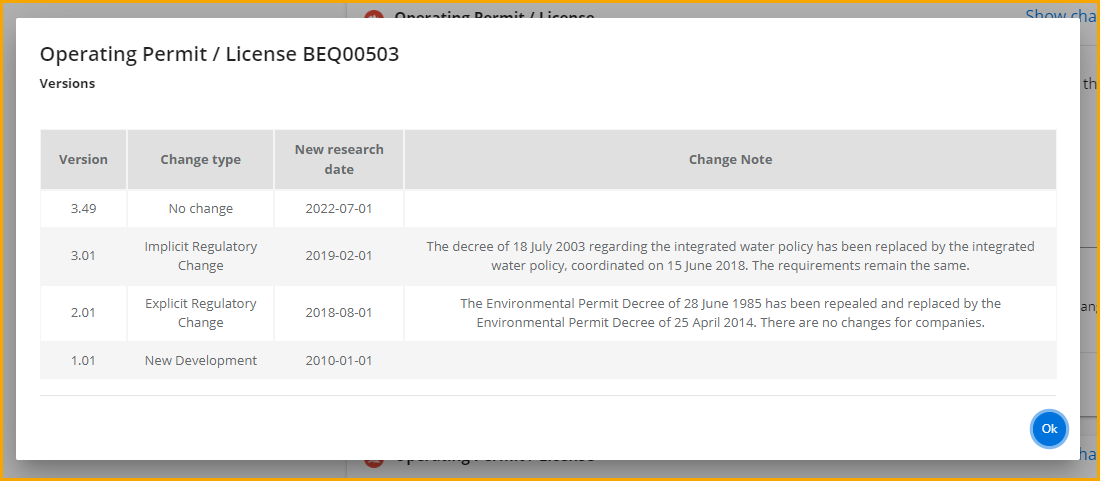
The first column provides the versions of this requirement, named using a combination of whole numbers and decimals. So what do these numbers mean?
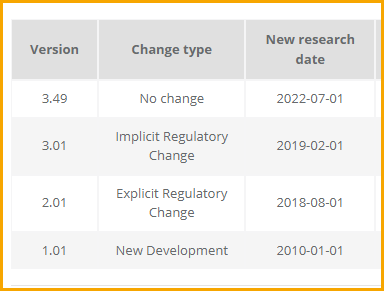
Between each version, a change to the whole number indicates a major update. Each major update adds 1.00 to the Version. In the above example, we see that two major changes have occurred (one in 2018 and one in 2019)
A change to the decimal indicates no update (or a minor editorial update). Each minor update adds 0.01 to a version, and minor updates are compiled together until a major update occurs. We see above that in 2022, the version changed from 3.01 to 3.49—this indicates the amount of times our users have reviewed/published this requirement. Across the platform, you will encounter versions with large decimal digits; in these cases the system has continued to update but such requirements have not had major updates.
We can see exactly when updates occurred in the New Research Date column. The Change Type column to the right provides a brief description of any changes made to a requirement.
Audit Scorecard
We can also see changes versions when using the Audit Scorecard tool. To view, open a facility scorecard and go to any of the Topic tabs (see below)
Note: In the below image, we see some change versions with large decimal digits (1.26, 1.45). These requirements haven't had any major updates since their inception.
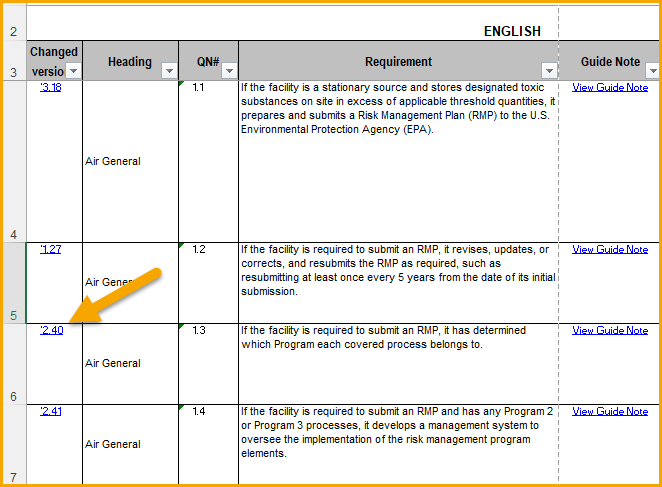
The left-most column of the scorecard provides links for Changed Versions of each requirement. Let's click on one of these links to view the versions:
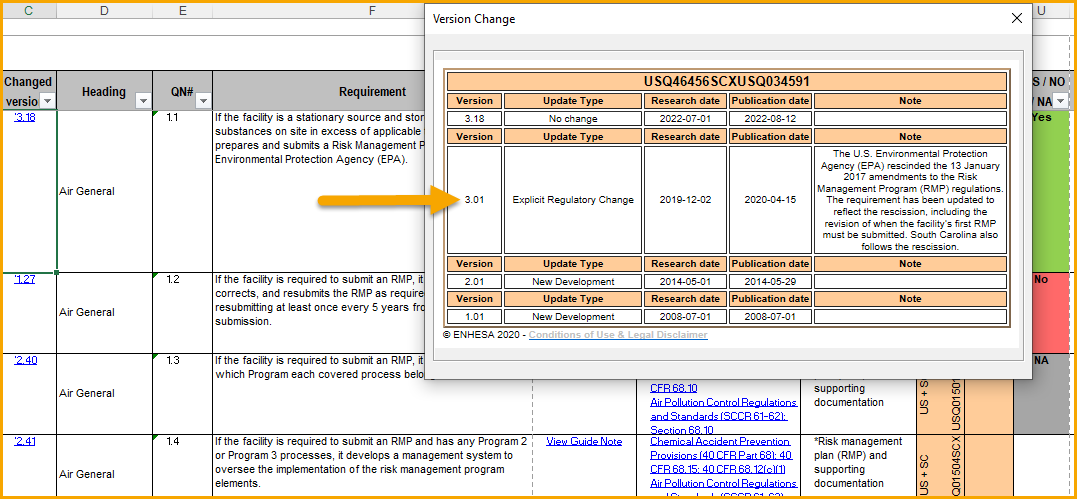
In the above, requirement AUQ10531 has undergone one major version update in February 2022 and has since had only minor updates. Just like in the Corporate Dashboard tool, we can view the change dates and the type of update, along with added notes for major updates.
Legal Foundations
Within the Legal Foundations tool, changes are given their own section within each foundation. Click on any foundation, and then click Changes on the right side of the screen. You'll be taken to the bottom of the page. The below screenshot shows what this section looks like:
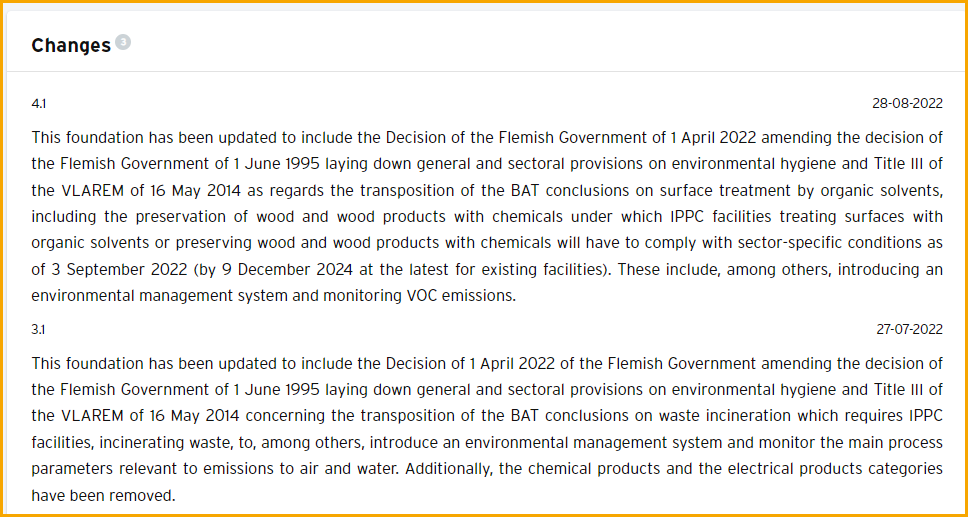
Just like in the other tools, an increase to the whole number (from 2.1 to 3.1) shows that one major change has occurred for this foundation.
Regulatory Guides
In the Regulatory Guides tool, major changes are listed under the History section found by clicking on any guide. If the History section is empty, no major changes have occurred.
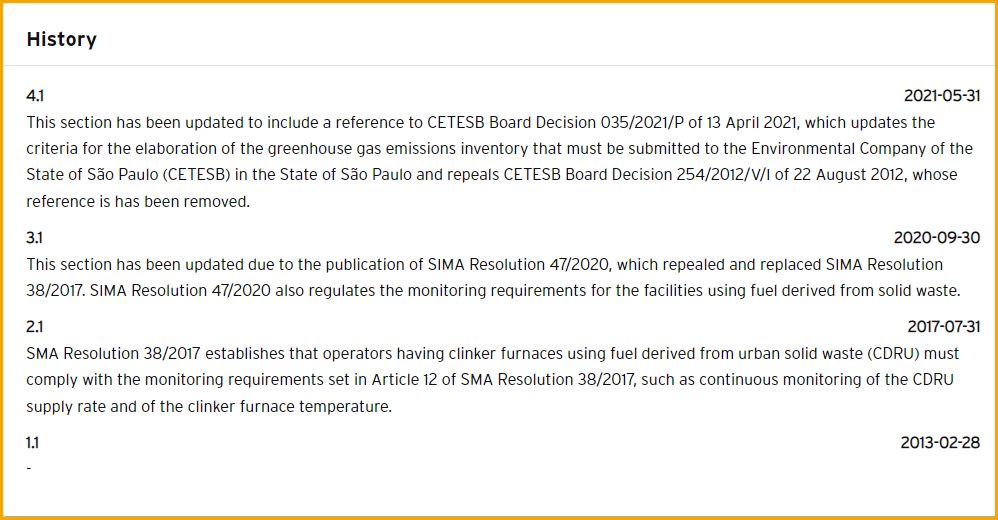
In the above screenshot, we see this guide has underwent three major updates as indicated by the change to the whole number of each version (1.1-->2.1-->3.1-->4.1). Dates are provided for each change along with a brief description of what has been updated.