Users could use the "Filters" imbedded on the "Compliance Intelligence" & "Legal Register" page to tailor information.
On the "Compliance Intelligence" page, the following "Filters" are available:
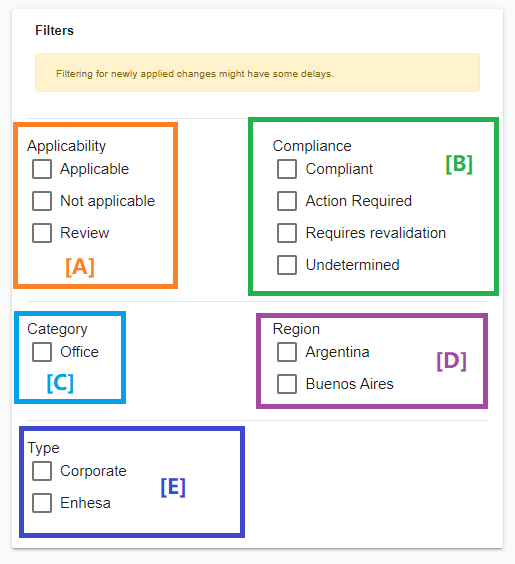
[A]: Click these boxes to tailor the information based on the fact "whether the requirements have been marked as Applicable/Not Applicable to your facility"
[B]: Click these boxes to tailor the information based on the fact "whether your facility is in compliance with this requirement"
[C]: Click these boxes to tailor the information if you wanted to only view requirements that are applicable for offices
[D]: Click these boxes to view requirements that are applicable in National/State level
[E]: Click these boxes to only view requirements provided by Enhesa / your Corporate
On the "Legal Register" page, the following "Filters" are available:
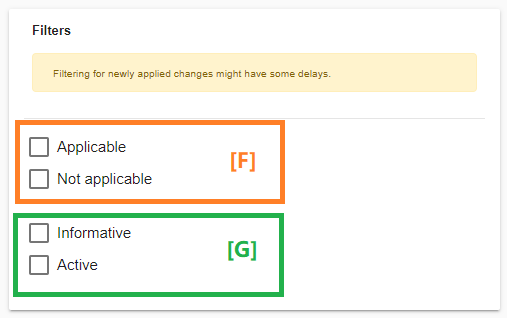
[F]: Click these boxes to tailor the information based on the fact "whether the regulation has been marked as Applicable/Not Applicable to your facility"
[G]: Click these boxes to tailor the information based on the fact "whether this regulation has linked compulsory requirements to your facility"