Enhesa Clients have the ability to create their own Corporate Requirements, which can be added to any number of Corporate Dashboard facilities. These requirements are in addition to the requirements already included in each facility's audit, and can be used to determine compliances specific to a client's operations.
Corporate Requirements can only be uploaded to the Corporate Dashboard and cannot be created or added by using the Audit Scorecard tool. Please see the steps below on how to have your Corporate Requirements added to your Corporate Dashboard tool.
1. Contact the Enhesa Customer Success team at services@enhesa.com and request a “Corporate Requirements Uploading Template”.
2. Input your corporate requirements into the “Corporate Requirements Uploading Template”. Click on the Supporting tab within the file for additional formatting guidance. The screenshots below show an example Requirements as well as the guidance that can be found on the Supporting tab.

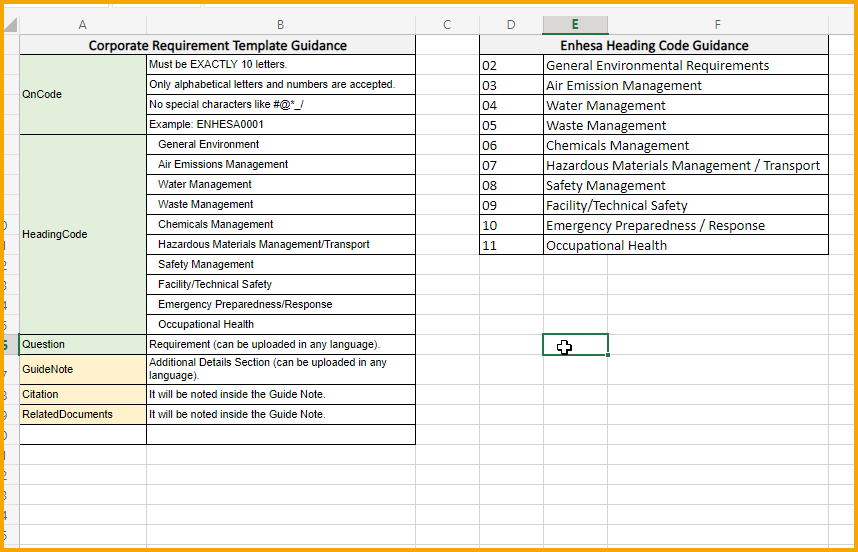
Once you've finished creating your Corporate Requirements, save your template and send it back to the Customer Success Team at services@enhesa.com.
3. Enhesa's Customer Success team will upload your Requirements for you. Once complete, you can then go to the Corporate Dashboard tool and assign your Corporate Requirements to any or all of your facilities by clicking on the “Corporate Requirements” checkbox next to your chosen facility.
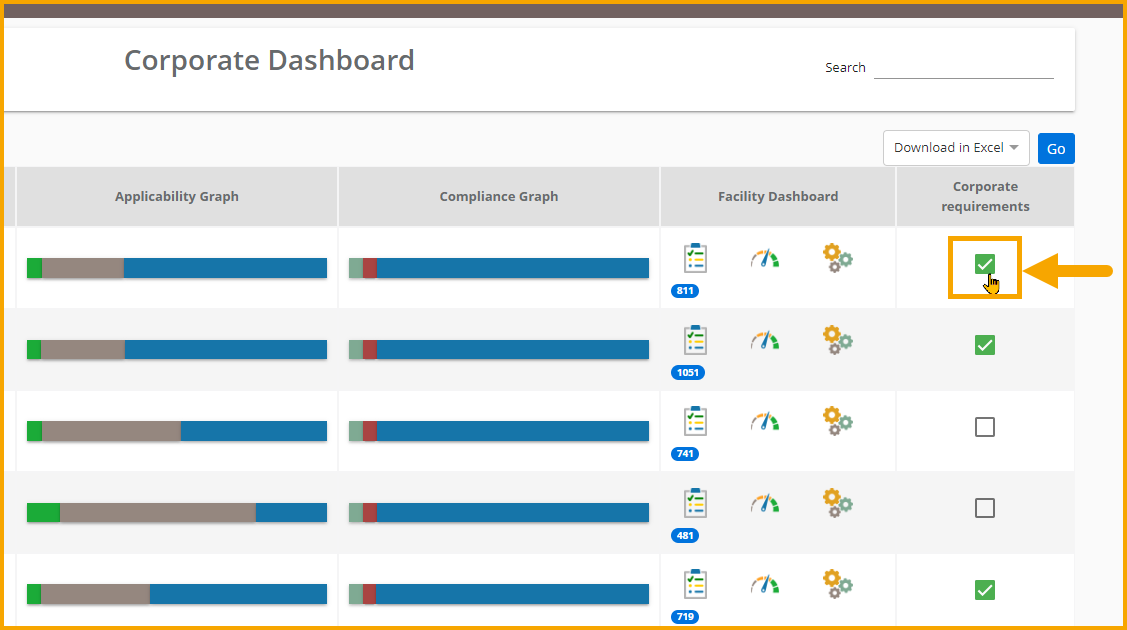
Enhesa's Customer Success team is happy to answer any questions you may have about this process. Please reach out to us at services@enhesa.com.